A strong pitch deck is one of the most important tools for securing funding, winning clients, or gaining approval for internal projects. Your deck directly affects whether your audience understands your idea, takes your proposal seriously, and decides to move forward; therefore, clear narrative structure, concise content, and consistent presentation all matter.
This guide walks through how to create a pitch deck, provides pitch deck examples to inspire you, and explains how to streamline the entire process with an AI presentation tool like QuillBot’s AI presentation maker.
Whether you’re presenting for a class, leading a team meeting, or speaking at a community event, a strong introduction is essential for capturing attention and setting expectations. That’s why knowing how to start a presentation is one of the most important public speaking skills you can develop.
A strong presentation introduction follows four steps: Hook your audience, explain the purpose, establish credibility, and preview your content. As you prepare your opening, focus on writing what you’ll say first. Then, design your slides to support it. Begin with a concise title slide, followed by an introduction slide that highlights the objective and outlines your points.
In this guide, you’ll learn how to script an effective presentation introduction and how to create your first two slides. Plus, with QuillBot’s free presentation maker, you can explore different layouts, templates, and ideas to make your next presentation truly stand out.
The best font for your presentation is one that’s easy to read, reinforces your message, and suits the context of your topic. Whether you’re designing slides in PowerPoint, Google Slides, or another platform, typography—like color, layout, and other design elements—shapes how audiences absorb and interpret information.
In this guide, you’ll learn how different font types work, which fonts are most effective for presentations, and how to choose and combine them to create clear, engaging slides.
Pro tipQuillBot’s AI presentation maker offers smart templates and design suggestions to help you pick the perfect fonts and layouts—whether you’re working in PowerPoint, Google Slides, or elsewhere.
Creating an engaging slide deck doesn’t have to be complicated. Thanks to the latest online presentation tools, you can build polished slides without spending time learning complex software. If you want a fast way to generate a complete set of slides from a short prompt, try QuillBot’s free AI presentation maker.
Confident and clear presentation skills are essential for students, professionals, and anyone looking to communicate ideas effectively. Yet for many people, public speaking and presenting in front of an audience feel intimidating. The good news is that effective presentation techniques—and helpful tools like QuillBot’s AI presentation maker—can make the process far less overwhelming.
In this article, you’ll discover essential skills, tips, and strategies to help you master the art of presentation, whether you’re preparing for a classroom project or a business pitch.
Creating a visually appealing presentation deck is an essential skill for students and professionals alike. AI presentation makers—such as QuillBot’s free AI presentation maker—simplify the process by generating a set of slides based on a short prompt, so you can focus on communicating your information and messages rather than formatting.
In this article, you’ll learn about prompts for an AI presentation maker and how to use a free tool to create your slides.
A troubleshooting guide is a document that lists common problems and step-by-step solutions. These guides allow customers or consumers to quickly solve problems quickly, without waiting for support.
Creating a clear troubleshooting guide is an art—it should be simple enough for the general public to understand, detailed enough to actually solve a problem, but not so long that it becomes overwhelming. A good guide will reduce support tickets, speed up resolution, and improve customer satisfaction.
Thankfully, AI tools like QuillBot’s free AI troubleshooting guide generator allow you to generate clear and well-formatted troubleshooting guides with the click of a button. Read on to learn more about writing effective guides and using AI to expedite the process.
3D models can make your project or presentation come alive and look very modern. Producing them used to take lots of time, skill, and expensive computer software. Now, with tools like QuillBot’s AI-powered 3D model generator, you can bring your documents or brochures up to date in no time!
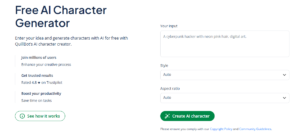
Every great story begins with its characters—but imagining what they look like or how they carry themselves can take time. Whether you’re a writer visualizing a protagonist, a game master designing an NPC for a DnD campaign, or a teacher running roleplaying and interactive storytelling exercises, turning abstract ideas into something tangible is often the hardest part.
With an online AI character generator, a few descriptive words can become detailed visuals that reflect a character’s personality, style, and presence. It’s a creative way to brainstorm and refine ideas, giving you a clearer picture of who your characters are and how they fit into your story.
In this article, we’ll explore how to create an AI character, share tips for crafting effective prompts, and show how QuillBot’s free AI character generator can bring your ideas to life.
Coming up with new story ideas can feel harder than writing the story itself. A story prompt generator gives you a way out, offering a wide range of story writing prompts for you to experiment with. You might discover love story prompts that explore complex emotions, mystery story prompts with unexpected twists, fantasy short story prompts filled with magic, or dystopian story prompts imagining grim futures.
In the following sections, you’ll find creative story prompts across genres and learn how Quillbot’s AI story prompt generator can help transform scattered ideas into captivating story starters.