Best Background Remover Tools | Free & Online
Removing the background from an image used to take time, patience, and solid image editing skills. Today, it’s much easier thanks to free online tools like QuillBot’s background remover, as well as tools from other platforms such as Adobe Express, Canva, PixelCut, and remove.bg.
This article will help you decide what the best free background remover tool is for your specific needs.
Best free background remover tools
The best free online background remover tools make it effortless to transform your images by removing or replacing the background in just a few clicks. But a great background remover doesn’t just erase what’s behind your subject—it preserves the original image quality, keeps edges clean and natural, and delivers fast, consistent results.
Professional-looking output
The best free background remover tools use AI to accurately detect edges around fine details—such as earrings, soft fabrics, or fingers—so the final cutout looks natural and complete, without unwanted blurring or halos. A reliable background remover also preserves the clarity and quality of your original image throughout the process.
QuillBot’s free background remover uses AI to identify the edges of your subject and a process designed to preserve its original quality. It also lets you download the final image as a high-quality PNG file.
Transparent backgrounds
For maximum flexibility, go for a background remover tool that can export your final image with a transparent background.
Transparent backgrounds make it easy to place your image onto new backgrounds in editing software or use it on platforms where the background color can change automatically—such as webshops or communication apps, where images may appear within layouts that adapt to themes or dark and light modes.
The QuillBot background remover allows you to download the finished image as a PNG, the best choice for background removal tasks because it’s a widely used format that supports transparency.
Background replacement
An important feature of any background remover is the ability to replace the background directly within the tool. This saves time by letting you quickly change the look of your image without switching between multiple apps or tools.
In QuillBot’s free image background remover, you can instantly generate a new AI-created background, choose a solid color, or upload your own image file to use as a replacement. This flexibility makes it easy to create polished results that match your creative or professional needs.
Usability
When choosing a free online background remover, look for one that supports a range of image formats, has an intuitive interface, and does the job quickly. The best remover tools have quick processing and upload times and let you remove backgrounds in a few simple steps.
QuillBot’s free background remover is a smart choice because it supports all major image formats—including WEBP, JPEG, and PNG—and has a clean, easy-to-navigate design that makes the process fast and frustration-free.
How to use an AI background remover tool
Using a free online background remover tool like QuillBot’s free background remover—or tools from other platforms such as Canva, Adobe Express, remove.bg, or PixelCut—is easy. They use AI technology to detect the subject of your image and accurately identify its edges. Once the background is removed, you can typically choose to save the file with an alternative background or transparent background.
1. Upload your image
Let’s say you’re an artist who wants to post a photo of a painting on social media. You have a great shot of your work, but you don’t like the lighting of the wall in the background, so you decide to remove it.

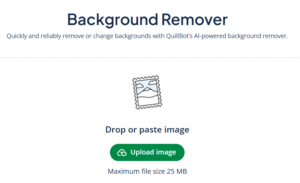
QuillBot’s background remover makes a task like this easy. You can upload image files up to 25 MB in size, and it supports a variety of image file formats.
2. Save the file or switch out the background
Once you’ve uploaded your image, the tool automatically removes the background for you. From there, you can usually choose to save your file with a transparent background or replace it with a new one.

With QuillBot’s free background remover, you have several options: save your image with full transparency, generate a new AI background based on your custom prompt, choose from a built-in gallery of backgrounds, or apply a solid background color of your choice.

You decide to create a new AI-generated photo background of a well-lit art gallery wall.

Frequently asked questions about the best background remover tools
- Is the QuillBot background remover free?
-
Yes, QuillBot’s background remover is free to use.
When you’re logged in, you can use it up to five times a day for free. If you’re a Premium QuillBot user, you can use it as many times as you want.
Cite this QuillBot article
We encourage the use of reliable sources in all types of writing. You can copy and paste the citation or click the "Cite this article" button to automatically add it to our free Citation Generator.
QuillBot. (2026, March 17). Best Background Remover Tools | Free & Online. Quillbot. Retrieved April 10, 2026, from https://quill.cosmictools.in/blog/image-tools/best-background-remover-tools/