
AI Image Prompts (50+ Copy-Paste Prompts That Actually Work)
The subject, context, and specifics like lighting, style, and camera angles are all included in a good AI image prompt to help the AI make decisions. Use descriptive elements like “cinematic lighting,” “in the style of a watercolor painting,” or “wide-angle shot” to enhance the final product and bring it closer to your intended vision.
As the capabilities of AI have increased, 2025 is perhaps the year where AI image creation suddenly became mainstream. The images have become more convincing, and it opens up a world of possibilities for creatives to include images in their work.
QuillBot’s AI image generator offers a simple and quick way of creating images from a text prompt. It’s a powerful tool that can turn your ideas into images in a matter of seconds.
The general warning with anything AI-related is that the product, or output, is only as good as the prompt you put in. There is a genuine skill involved in learning how to craft the best prompt to get the AI model to give you the results you need.
This guide will walk you through that process and leave you with 50+ ready-to-use prompts for your AI image generator adventures!


An AI-generated image of a writer looking pleased (having discovered QuillBot AI image generator)

Why great prompts matter in 2025
Ultimately, you will be judged by the quality of your output, and in the congested creative spaces of the internet, it’s difficult to stand out.
A great prompt needs to be:
- Clear: Remember, it’s artificial intelligence, not a mind reader, so make your prompt clear and unambiguous.
- Detailed: Put in as much detail as you can to help the image generator to do its work. An AI assistant can reduce your workload, but it won’t remove it completely (at least not yet …!)
- Creative: Again, you are not handing over every aspect of the task to AI; there is room (and need) for creativity on your part.
It’s important to remember that, although the AI assistant has access to mind-boggling quantities of data, it does not know your specific needs or situation. So you need to tell it what you want in terms of:
- Context: How does this image fit in with everything else you are doing? What’s your purpose? What are your values and mission?
- Style: Are you looking for a photorealistic image or a cartoon? The QuillBot AI image generator has a great selection of possible styles to choose from.
- Tone: Is this lighthearted? Is it thought-provoking? Are you looking to be slightly frivolous? The AI can’t guess this, so you must tell it.
All of this matters because, although you can frame and reframe your prompts until you get it right, all of that takes time. So, get the prompt right the first time, and get the full benefit of the time saved using an AI assistant.
How to write effective prompts for AI image generators
So, you have your project, and you know you need an AI image to complement your written output. What’s the best way of crafting the prompt? Here’s a handy pre-flight checklist for you to refer to:
- Be descriptive: Include subject, setting, and mood.
- Add style or medium: For example, anime, cinematic, or fantasy world.
- Use composition cues: Wide shot, portrait, or close-up.
- Experiment with negative prompts: Tell the AI what not to include.
- Iterate and refine: Start broad, then fine-tune inside QuillBot.
Don’t expect to get perfection the first time. Using AI is a skill and, as such, needs practice.
Use the QuillBot image prompt generator to test your ideas and create the best prompt for an AI image generator.
Download our free guide on tips for creating the best AI image prompts
Best prompts for AI image generators for 2025
So let’s dive in to see some top prompts for 2025, categorized by content or purpose, and including suggested image style and aspect ratios. In the example images you will find some of the possible styles in QuillBot’s AI image generator. The image at the start of each category is from the first prompt in that section and includes the style and aspect ratio selected in the generator.
Nature and landscapes
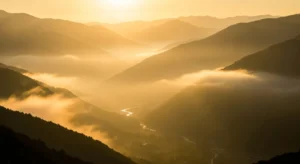
- “Golden sunrise over a misty mountain valley” —Realism, 16:9
- “An artistic representation of a serene Japanese garden in springtime with cherry blossoms”
- “Foggy enchanted forest with glowing mushrooms in a fantasy style”
- “A cinematic view of rolling lavender fields under a dramatic sunset sky”
- “A realistic-looking tropical beach with crystal-clear water and palm trees swaying”
- “A 3D scene of an Icelandic waterfall cascading into a deep canyon”
- “A digital arts representation of the northern lights over a snowy pine forest”
Portraits and characters

- “Cyberpunk street musician with neon tattoos” —Digital Art, 9:16
- “A realistic picture of an elderly couple dancing under a starry night sky”
- “Young wizard holding a glowing staff in the forest in a fantasy style”
- “Anime warrior princess with silver hair and a magical sword”
- “Photorealistic headshot of a business professional in natural light”
- “A cinematic view of a futuristic astronaut exploring a neon-lit alien planet”
- “Steampunk inventor with goggles and blueprints done in an artistic style”
Cities and architecture
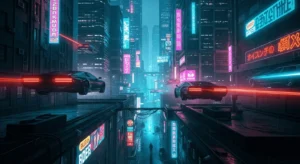
- “Futuristic skyline with floating cars and neon signs” —3D Scene, 16:9
- “A fantasy medieval village marketplace bustling with people”
- “A realistic image of a modern skyscraper reflected in a glassy lake”
- “Cyberpunk alley lit by neon holograms and rain puddles in a cyberpunk style”
- “A cinematic view of ancient temple ruins hidden in the jungle”
- “A mockup of a minimalist white concrete house on a cliff by the sea”
- “An artistic view of an underground subway station designed in retro-futuristic style”
Artistic and abstract

- “Abstract watercolor splash resembling a city skyline” —Artistic, 4:3
- “Surreal apple filled with metallic nails on a white background”
- “3D scene of colorful fractal patterns glowing in 3D space”
- “Artistic, dreamlike melting clocks inspired by surrealism”
- “Geometric pastel gradient shapes in a Bauhaus-style mockup”
- “Cosmic galaxy digital art with vibrant blues and purples”
- “Glowing artistic mandala patterns forming a kaleidoscope”
Fantasy and sci-fi worlds

- “Dragon flying above stormy mountains breathing fire” —Fantasy World, 16:9
- “Futuristic robot bartender serving glowing drinks”
- “Floating castle in the clouds during sunset”
- “Alien jungle with bioluminescent plants in a cinematic style”
- “Epic fantasy battle scene between knights and shadow creatures”
- “Crystal cave glowing with mysterious energy”
- “Spaceship flying through a wormhole in 3D”
Educational and infographic

- “Anatomical diagram of the human heart in textbook style” —Educational, 4:3
- “Educational labeled solar system diagram for a science class”
- “Step-by-step infographic of how photosynthesis works”
- “Illustration of a medieval castle with labeled parts”
- “Clean infographic showing stages of the water cycle”
Marketing and branding

- “Flat lay of eco-friendly skincare products, minimalist background” —Prototyping & Mockup, 1:1
- “Sleek mockup of a coffee cup with customizable branding”
- “Instagram-ready realistic food photography of avocado toast”
- “Colorful podcast cover art with retro microphone illustration”
- “YouTube thumbnail showing shocked gamer with neon lights”
- “Minimalist business card mockup on a textured desk”
- “Product packaging mockup for luxury perfume bottle”
Fun and whimsical

- “Cute dog steering a car through a neon-lit city” —Anime, 16:9
- “Anime cat astronaut floating in space”
- “Digital art style rubber duck surfing a giant wave”
- “Penguin wearing a bow tie serving ice cream”
- “Fantasy giant panda painting on an easel in a bamboo forest”
Bonus: Negative prompt examples
If the results from the image generator aren’t quite what you want, it can help to refine them by adding details of what you don’t want. Some useful negative prompts for an AI image generator include:
- “Exclude blur, avoid text overlays.”
- “No distortions, no watermarks.”
- “Do not include background people.”
Download our free guide with the best AI image prompts for 2025
Using the QuillBot AI image generator
With these 50+ ideas, you should have plenty of inspiration to try out the QuillBot AI image generator. Remember that the quality of the input makes all the difference to the quality of the output, so it’s worth taking your time to learn how to do it best.
It’s time to try the QuillBot AI image generator for yourself and see how your ideas come to life!
Frequently asked questions about AI image prompt
- What is an AI image prompt?
-
An AI image generator responds to the image prompt that you enter. You use the prompt to describe the image that you want the AI to produce. You can use both positive prompts (e.g., “A man working on a laptop computer”) and negative prompts (e.g, “Do not show his hands”).
The QuillBot AI image generator is an easy-to-use, free AI resource that delivers images in a number of styles and formats in a matter of moments. It’s perfect for trying out ideas for images.
- What are some examples of AI image prompts I can use?
-
The possibilities are endless, but here are some ideas you can use with the QuillBot AI image generator. In each case the prompt is followed by the style of the image and the format ratio.
- “Golden sunrise over a misty mountain valley” —Realism, 16:9
- “Cyberpunk street musician with neon tattoos” —Digital Art, 9:16
- “Futuristic skyline with floating cars and neon signs” —3D Scene, 16:9
- “Abstract watercolor splash resembling a city skyline” —Artistic, 4:3
- “Dragon flying above stormy mountains breathing fire” —Fantasy World, 16:9
If you need extra ideas, why not ask the QuillBot AI chat to help you out?
- How do AI image generators work?
-
AI image generators transform text-based prompts (i.e., what you describe) into visual images using machine learning models that have been trained on millions of images and descriptions.
When you input an image prompt (like “a trapeze artist walking across a tightrope”), the AI model interprets the words, identifies patterns based on its training data, and then generates a completely new image that matches your description.
This process involves the following steps:
- Text understanding: The AI parses your prompt to understand key elements like subject, style, lighting, setting, and mood.
- Pattern matching: It uses deep learning to reference visual patterns and styles it has seen during training.
- Image rendering: The AI tool assembles those concepts into a new image.
Advanced tools like QuillBot’s AI image generator make this even easier by offering preset styles and aspect ratios that help guide the AI toward more accurate and creative results.
Now that you know how AI creates images, see if you can tell which ones are AI-made. Take our Human or AI quiz to test your detection skills.
- How long does it take to generate an image with an AI generator?
-
In most cases, it takes from a few seconds to under a minute for an AI image generator to create a high-quality image from your image prompt. Some advanced tools may take slightly longer depending on:
- The complexity of your prompt (e.g., intricate scenes or layered styles)
- The resolution or aspect ratio you’ve selected
- Server load or tool performance at the time you’re using it
If you’re refining your image through multiple iterations, allow a little extra time for edits and prompt adjustments.
Most advanced tools, like QuillBot’s AI image Generator, offer preset styles, aspect ratios, and prompt suggestions to help streamline the process and ensure your image is optimized right from the start.
- How to use an AI image generator to create visuals?
-
Creating visuals with an AI image generator is quick and easy. All you need is a clear idea and a well-written prompt.
Here’s a simple step-by-step process:
- Describe your image: Write a detailed image prompt including the subject, style, mood, and composition (e.g., “Cyberpunk city at night, wide-angle view, neon lights”).
- Choose your settings: Select a style, aspect ratio, or use the automatic presets to guide the AI (tools like QuillBot’s AI Image Generator offer built-in options to simplify this step).
- Generate and refine: Once you’re happy with your prompt and settings, click to generate. Most images are ready in seconds. If needed, tweak your prompt or use negative prompts to refine the result.
Curious how realistic AI-generated visuals can look? Test your detection skills with our Human or AI game.
Cite this QuillBot article
We encourage the use of reliable sources in all types of writing. You can copy and paste the citation or click the "Cite this article" button to automatically add it to our free Citation Generator.
Marshall, T. (2026, March 11). AI Image Prompts (50+ Copy-Paste Prompts That Actually Work). Quillbot. Retrieved April 10, 2026, from https://quill.cosmictools.in/blog/image-tools/ai-image-prompts/

1 comment
Mathias
September 16, 2025 at 9:24 AMthis prompt helped me a lot, thanks a lot!!